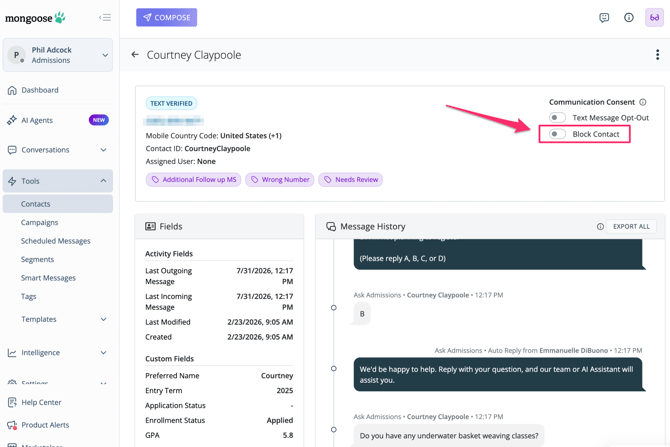
If you receive a text response containing obscenities or other inappropriate information, you can choose to "Block" them. Our block feature will block any incoming messages that number from the entire team and trigger an automatic opt out so that the number cannot be sent any outgoing messages. Admins are able to block a number from other teams that they (the Admin) are in.
There are two ways to block a contact:
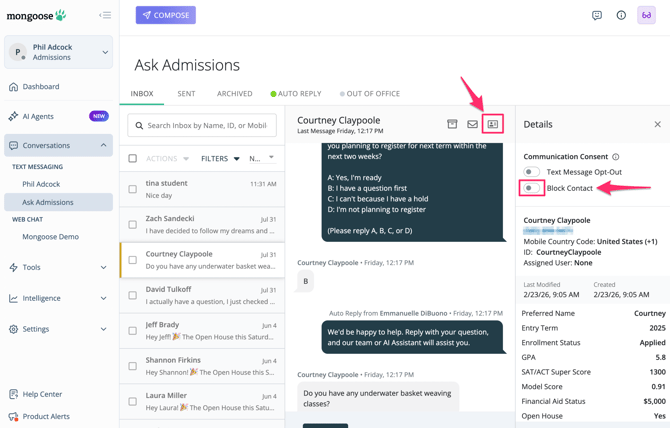
1. From the conversations view, click on the message thread, click the contact details icon at the top right, then toggle the [ Block Contact ] button
2. Go to Tools > Contacts > find the contact and click on their name or the 3 dots to "view" the contact record. Once the contact record is opened you will see the option to toggle on [ Block Contact]