
What is an Inbox Assistant?
An Inbox Assistant is an AI-powered assistant that works within Mongoose Text inboxes. It can answer incoming questions using information approved by your institution, help manage resolved conversations, and route conversations to staff when human attention is needed.
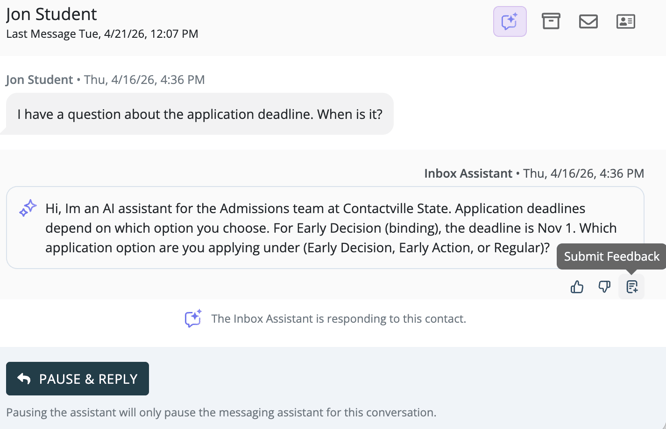
Inbox Assistant is designed to support your team, not replace it. Staff can see its activity, provide feedback on its responses, pause automated responses for individual conversations, and take over at any time.
What Inbox Assistant can do- Respond to incoming messages - Inbox Assistant uses the knowledge sources and instructions configured for an inbox to provide timely answers.
- Support contacts outside staffed hours - You can configure when automated responses are available for each inbox.
- Keep inboxes organized - Inbox Assistant can archive conversations that reach a natural conclusion.
- Escalate conversations - When a contact needs a person or a safety-related situation is detected, Inbox Assistant can flag the conversation for staff review.
- Protect sensitive information - Inbox Assistant automatically redacts supported sensitive information when it appears in a conversation.
- Show measurable impact - AI Analytics helps your team understand activity, outcomes, and estimated staff time saved.
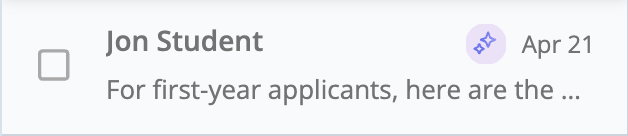
When Inbox Assistant is actively responding in an inbox, Mongoose displays an active status indicator in the Inbox Assistant area. Conversations also display an AI indicator so staff can quickly distinguish assistant activity from staff activity.


How staff stay in control
- Open any conversation to review messages sent by Inbox Assistant.
- Pause automated responses when a staff member needs to take over.
- Resume Inbox Assistant when the conversation is ready for automated support again.
- Submit feedback on individual assistant responses.
- Review and update inbox settings and approved knowledge sources.
Before you get started
Inbox Assistant must be enabled for your team and assigned to an eligible personal or shared inbox. Your available setup and management options depend on your role and access to that inbox.