
Auto-archive resolved conversations
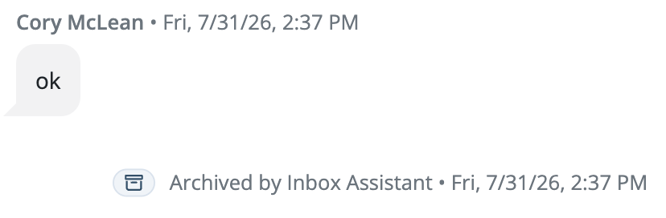
When auto-archive is enabled, Inbox Assistant can archive a conversation after it reaches a natural conclusion. Typical examples include acknowledgements such as “Thanks,” “Got it,” or “Sounds good” when no follow-up is needed.
Auto-archive is separate from automated responses. If configured this way, Inbox Assistant may continue organizing completed conversations even when automated responses are turned off or outside their scheduled hours.
What happens when a conversation is archived- The conversation moves out of the active inbox and into Archive.
- The conversation is marked as read.
- If the contact sends another message, the conversation returns to the inbox automatically.
- Staff can open the Archive tab to review the conversation and its assistant activity.
Manage paused conversations in Archive
A conversation's paused state may continue after it is archived. Review the Inbox Assistant status before resuming the conversation or returning it to active work.
Sensitive informationInbox Assistant automatically redacts supported sensitive information to help protect contact privacy. Redacted information follows the existing Mongoose pattern so staff can recognize that protected content was removed.
Inbox Assistant should never ask a contact to provide a Social Security number.
If sensitive information appears unexpectedly
- Pause Inbox Assistant for the conversation.
- Follow your institution's privacy and incident-response procedures.
- Contact Mongoose Support with the conversation details permitted by your institution's policies.