Before you begin
- Confirm that Inbox Assistant has been enabled for your team.
- Identify the personal and shared inboxes that should use Inbox Assistant.
- Prepare the goals, knowledge sources, and operating schedule you want to use for each inbox.
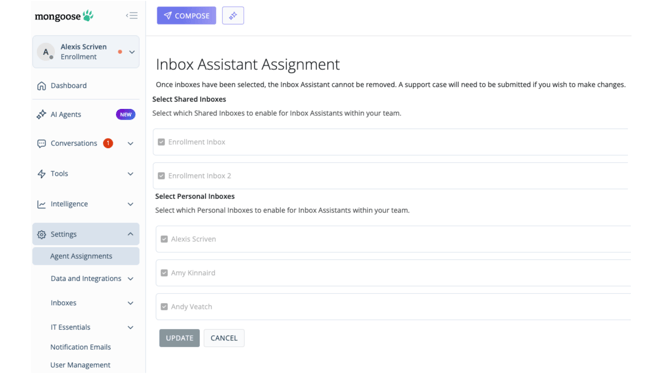
- Open Settings - From the main navigation, select the area used to manage Inbox Assistant assignments.
- Open Agent Assignments - Select the AI Assignments option.
- Select Add or Edit Inboxes - Mongoose displays the personal and shared inboxes available to you.
- Choose the inboxes - Select each personal or shared inbox where Inbox Assistant should be available.
- Review your selection - Confirm that the correct inboxes are listed.
- Update - Mongoose assigns Inbox Assistant to the selected inboxes and makes configuration available for each one.